Setting up Internet Explorer email on a Mac
To set up Internet Explorer email on a Macintosh computer, follow these steps:
- Open Internet Explorer.
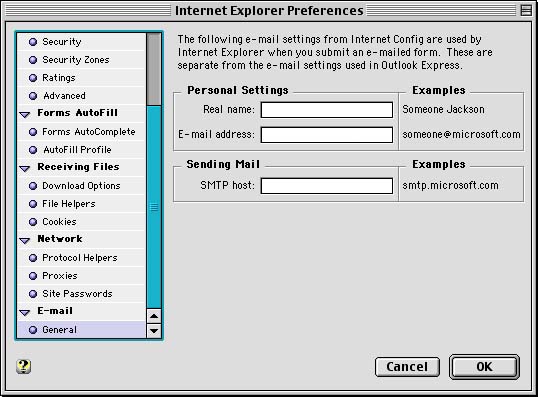
- Click Email, then General.
- Type the name that you want your email recipients to see.
- Type your email address, such as username@horizoncable.com.
- Type your SMTP host name, which is smtp.horizoncable.com
- Click OK.
Return to email menu
Return to main menu